

Blog
CoinDesk Data is now accessible through Claude's Model Context Protocol (MCP).
.png)
CoinDesk Data is now accessible through Claude's Model Context Protocol (MCP), enabling analysts and research teams to query our full data suite using natural language, directly inside Claude.
No more need to leave your AI environment to query an API separately. Once connected, Claude calls CoinDesk Data directly within your conversation. You can ask "What was Bitcoin's hourly OHLCV last Tuesday?" and get structured results right in the chat interface.
The connector provides access to the same data available through our API: spot prices, derivatives, funding rates, open interest, and more. Setup takes just a few clicks through the Claude Connectors page.
Connect Claude with CoinDesk Data in three steps. Setup takes about five minutes.
Before you start: You'll need an active CoinDesk Data API key. If you don't have one, you can generate one from your account dashboard at developers.coindesk.com.
This is where all your third-party MCP integrations live.
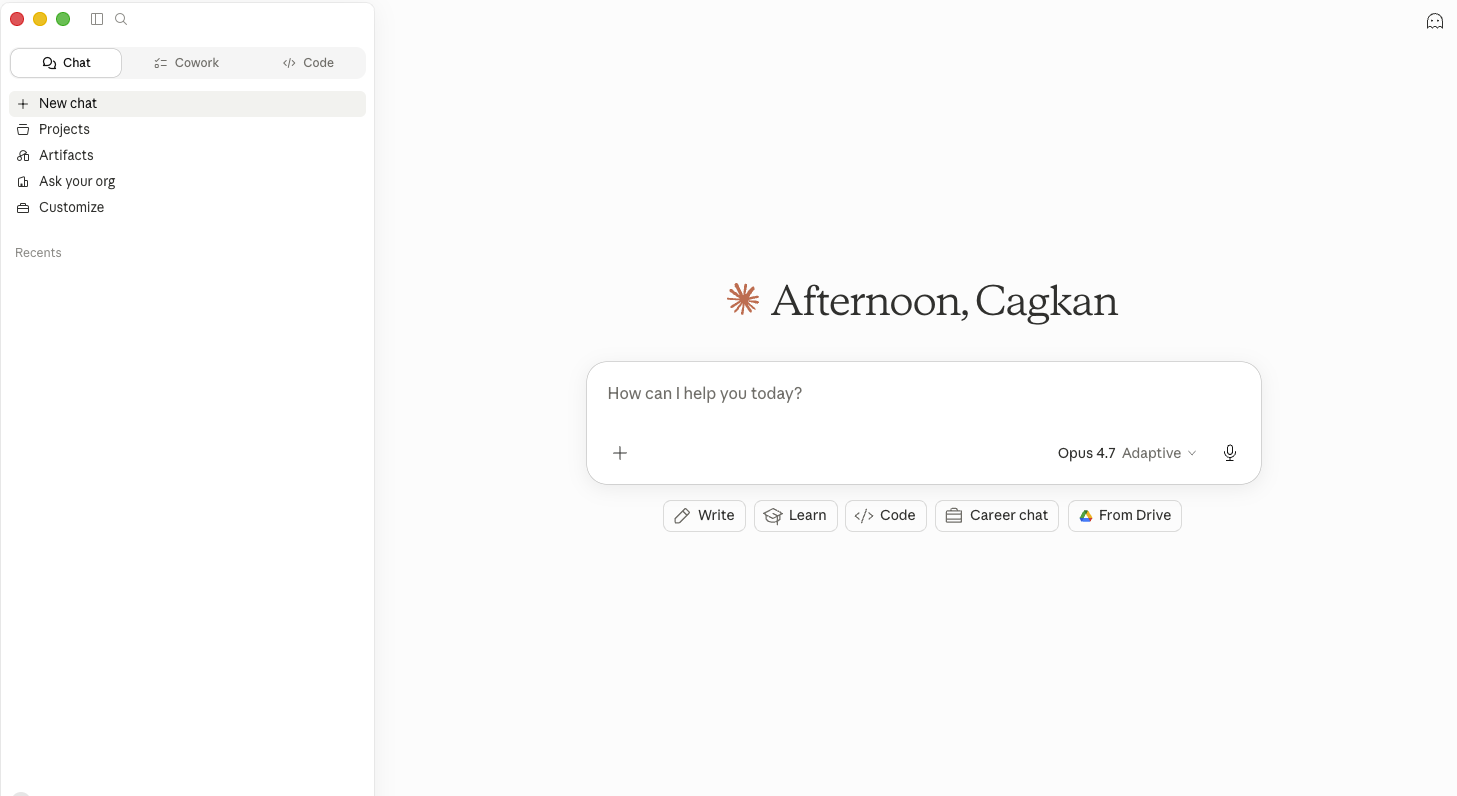
You'll see a short description of what the connector does and what data it surfaces — spot, futures, options, indices, news, and orderbook.
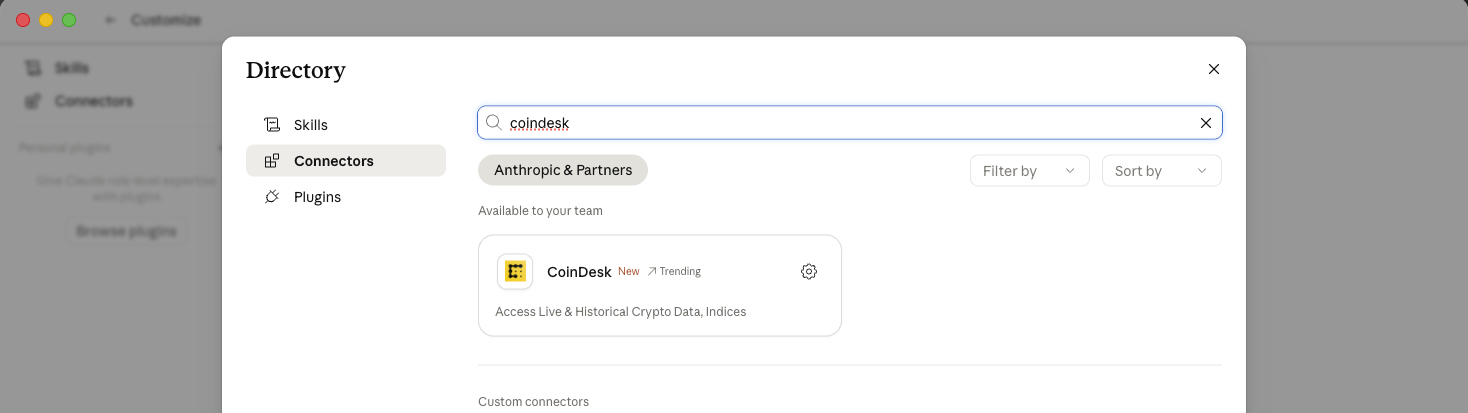
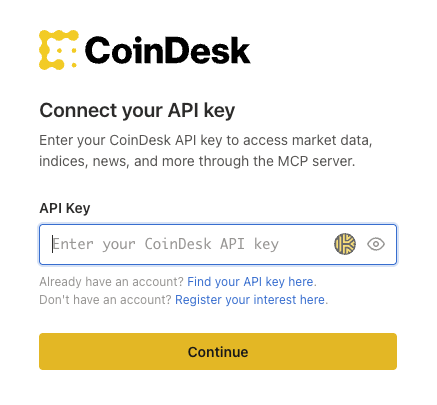
You're connected. Start a new chat in Claude and try a prompt like "What was Bitcoin's hourly OHLCV last Tuesday?" to confirm the connector is working.
Reach out to your account manager or contact our team.
Thank you for building with CoinDesk Data.
Get our latest research, reports and event news delivered straight to your inbox.